2. Project Structure
If you get hit by a bus today, will your colleagues be able to run your code tomorrow?
Software projects can be messy. Imagine you join a lab and your supervisor hands a project folder left by a previous postdoc. It usually looks like this:
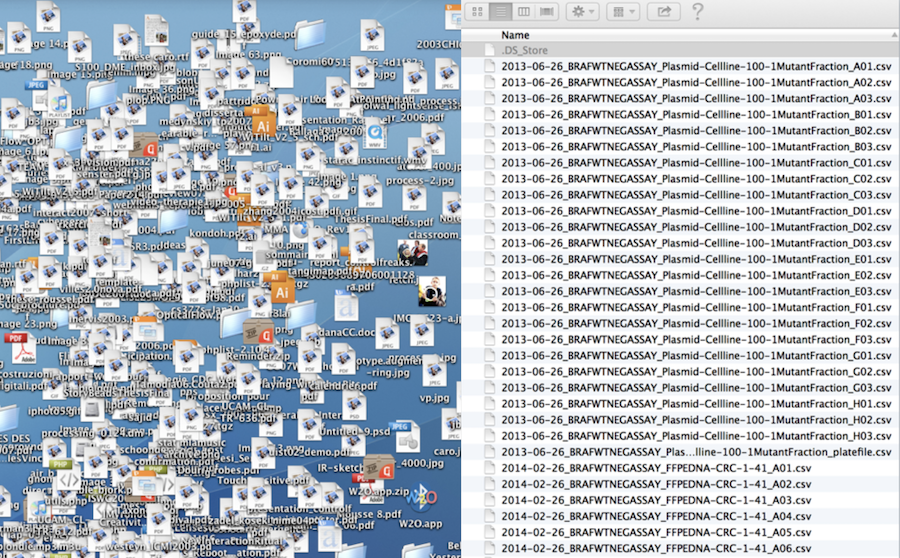
OK, probably not as extreme. Still, it is common for a newcomer to data science to put everything into a single folder: data, scripts, figures, tables. That can work if you only need to do analysis once and no one else will ever do it again, including yourself. That is far from truth in research be it academia or industry. In this tutorial we will see quick fixes you can do to help others and the future you to understand what does a project do. Let’s get organized.
Lost Book Project
We will look at two project structures: messy and structured - to see what works and what does not in short and long term projects.
Messy Project
.
├── analysis.sh
├── book1.txt
├── book102.txt
├── book2.txt
├── book3.txt
├── book5.txt
├── book55.txt
├── book79.txt
├── plot.sh
└── summary.sh
First, try to make sense what the project is about and how to use it.
If you want to practice your terminal skills, you can unzip the file with unzip program:
unzip gecs-02-project_structure-2025-02_messy-dirOnce unzipped, open the directory with VS Code (Cmd+O).
Structured Project
.
├── books                           <-- Text files of books used for analysis
│   ├── dracula.txt
│   ├── frankenstein.txt
│   ├── jane_eyre.txt
│   ├── moby_dick.txt
│   ├── README.md                   <-- README for the book files
│   ├── sense_and_sensibility.txt
│   ├── sherlock_holmes.txt
│   └── time_machine.txt
├── counts                          <-- Word count .tsv data
├── figures                         <-- Bar plots of word counts
├── README.md                       <-- README for the project
└── scripts                         <-- Scripts directory
    ├── count_words.sh              <-- Counts occurences of word in a books
    ├── get_summary.sh              <-- Gets a book summary
    └── plot_counts.sh              <-- Plots count histogram in terminal window
This is the same project but organized.
Once downloaded and unzipped, open the directory with VS Code.
Tips
Directory Structure
Here is a minimal directory structure adapted from bvreede on GitHub. There are larger.
The directory structure distinguishes three kinds of folders:
Read-only (RO): not edited by either code or researcher
Human-writeable (HW): edited by the researcher only.
Project-generated (PG): folders generated when running the code; these folders can be deleted or emptied and will be completely reconstituted as the project is run.
.
├── README.md          <- Description and how to run the project (HW)
├── requirements.txt   <- System requirements for running the project (HW)
├── processed_data     <- Processed data ready for analysis (PG)
├── raw_data           <- The original, immutable data dump (RO)
├── scripts            <- Scripts for this project (HW)
└── results            <- Project results: tables, figures, etc. (PG)
Naming Files and Directories
Jenny Bryan from The Carpentiries has shared an online slides to show how to and how to not name files and directories. The presentation can be summarized as follows.
KISS (Keep It Simple Stupid): use simple and consistent file names
Machine readable
Human readable
Orders well in a directory
No special characters and no spaces!
Use YYYY-MM-DD date format
Use
-to delimit words and_to delimit sections- i.e.
2019-01-19_my-data.csv
- i.e.
Left-pad numbers
i.e.
01_my-data.csvvs1_my-data.csvIf you don’t, file orders get messed up when you get to double-digits
You can use a variation of the above as long as you are consistent within a project.
README
README, or README.md since Markdown language is the standard now, is the most important file in your project. It grants the power to the new users to execute your project and, remember, your future self. Without it, almost no one will get through your project without a considerable struggle (again, including future you).
Make a README does a great job in conveying this message in a single webpage. Check it out!
Project Template
Instead of creating project directory with all its supplementary files, software developers came up with a boilerplate structure that can be created in minutes. Cookie Cutter Data Science project is one of those. Although, the default template is aimed towards machine learning / data science researchers, you can find a simpler one shared by other researchers online. Another option, to create your own template that suits your needs.
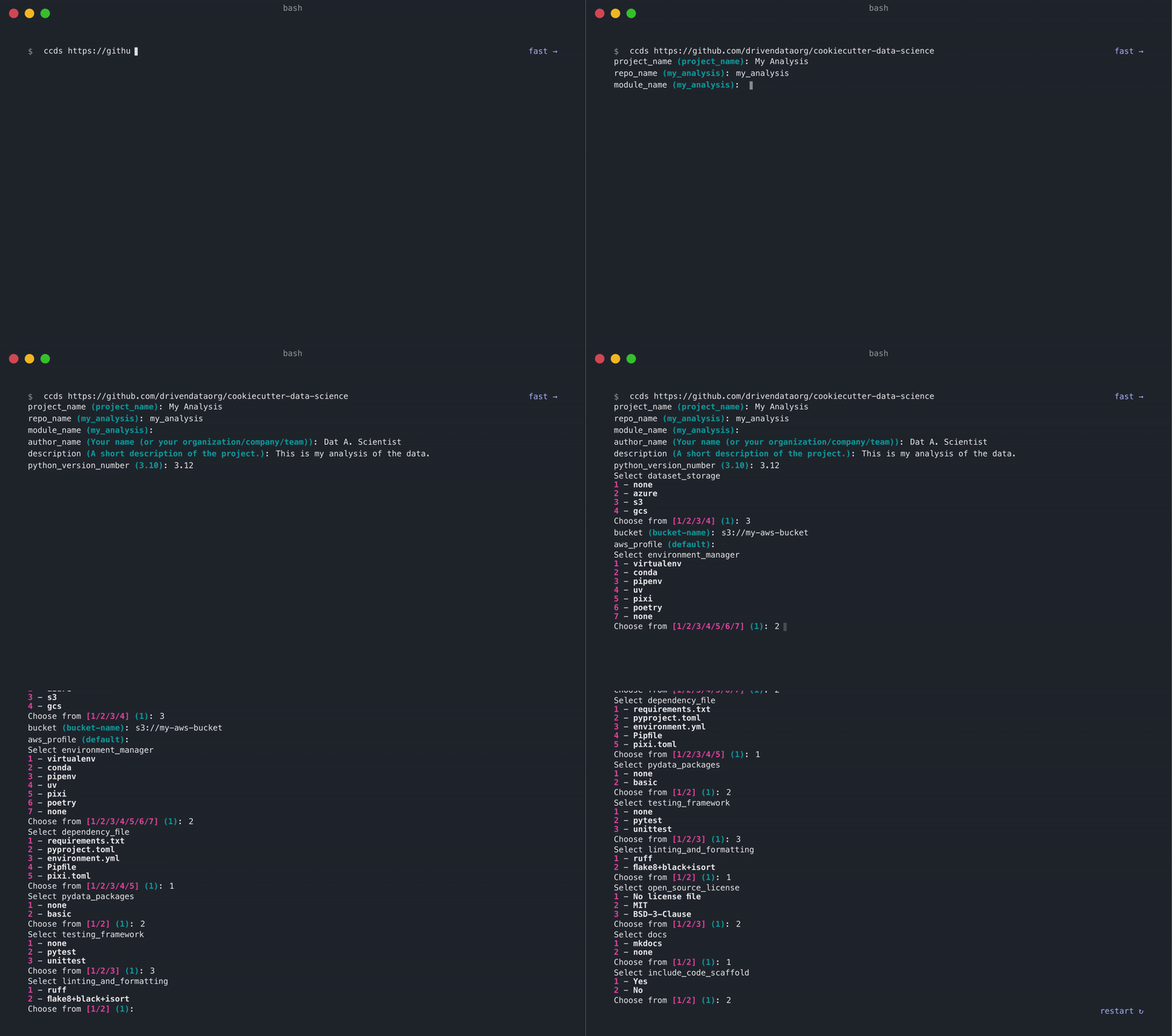
Also, check out their Opinions page for project management tips.